· 2 min read
Plan the next one
An atlas of where you’ve been is only half the story. Planning keeps the trips you haven’t taken yet next to the ones you have, without letting them count before you go.

Everyone has a list of places they mean to go. It lives in a notes app, a screenshot of a hotel, a bookmark folder called “someday”, and a conversation that starts “we should really go to Japan”. It rarely lives anywhere near the record of where you’ve already been.
In Trafays it does. Planning sits next to your atlas: the trips you mean to take.
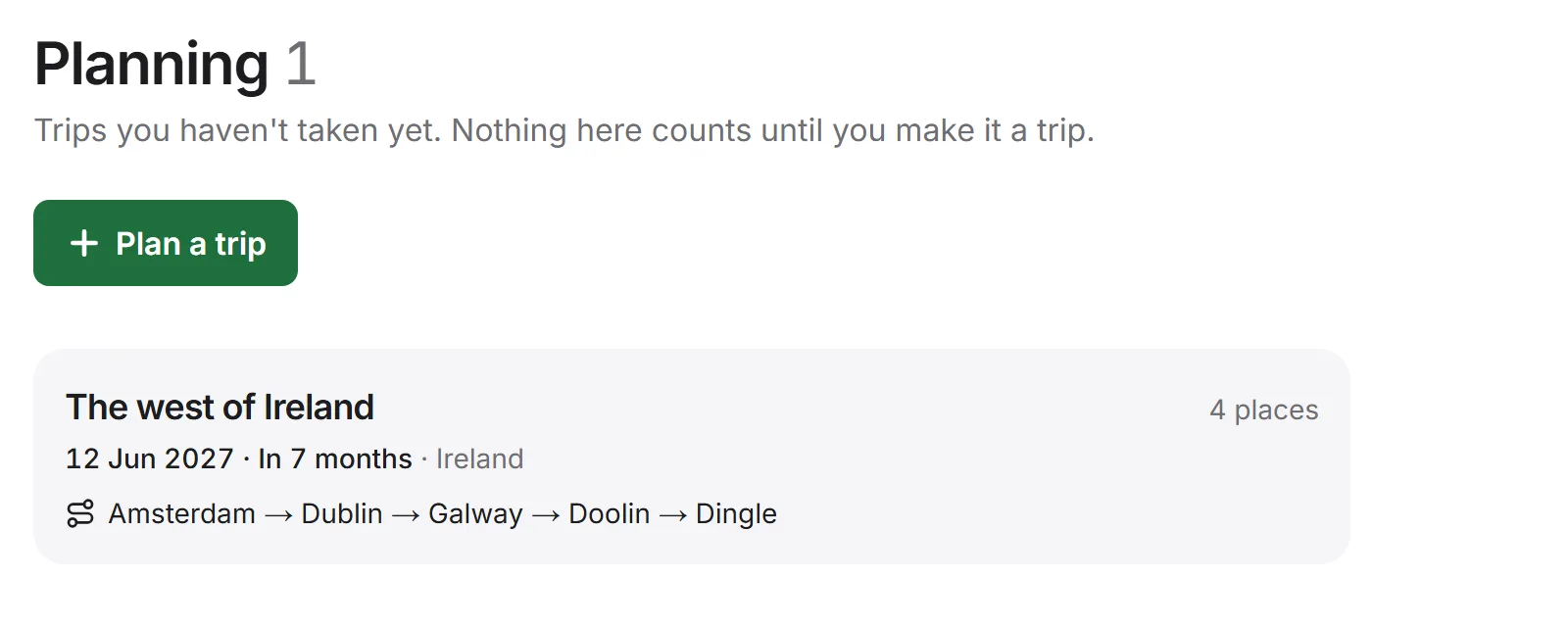
A plan is a trip you haven’t taken
Press Plan a trip, or click a country you haven’t been to on the atlas and choose Plan a trip there. A plan is the same thing as a trip, before it’s true: the places in the order you’d visit them, and as much else as you know.
That can be very little. One place is enough: “Kyoto” is a plan. It takes its name from the countries it goes to until you give it a better one. When you know more, add it:
- More places, in order. Trafays draws the route as you add them, just like a real trip.
- A day to leave. The plan counts down to it.
- Where you’d set off from, and whether you come back, stay at the last place or end somewhere else.
- How you’d get there and how many nights, per place.
Your plans sit in one list: the ones with a day coming up first, soonest at the top, then the ones without a date, then those whose day has passed, so they don’t sit at the top for months.
Each plan also prints on one sheet, in the light look, to send to whoever’s coming along.
Nothing counts until you go
This is the one rule we were strict about. A plan isn’t a trip. It doesn’t turn a country green, it doesn’t add a kilometre, and it doesn’t move your explorer type. Your atlas and your statistics are only ever what really happened.
When you’re back, open the plan and press Make it a trip. The trip editor opens with its places and day already filled in. Change what went differently, add the photo and the memory, and save. Now it counts, and the plan is done.
The next line in the atlas
An atlas of where you’ve been makes the empty parts very visible. Planning is where those empty parts become a trip instead of a vague regret.
Open Planning, and plan the one you keep saying you’ll take.