· 2 min read
Bring your past in
Years of trips are already sitting in Polarsteps, Google Maps and your flight apps. Here’s how to get them into one atlas, and what to do about the ones no app ever saw.
Somewhere there’s a boarding pass from 2009 in a drawer. The trip it belonged to is written down in a dozen other places too: the travel app you used for a few summers, your phone’s location history, the flight tracker that logged every take-off since. None of them shows you the whole lot at once.
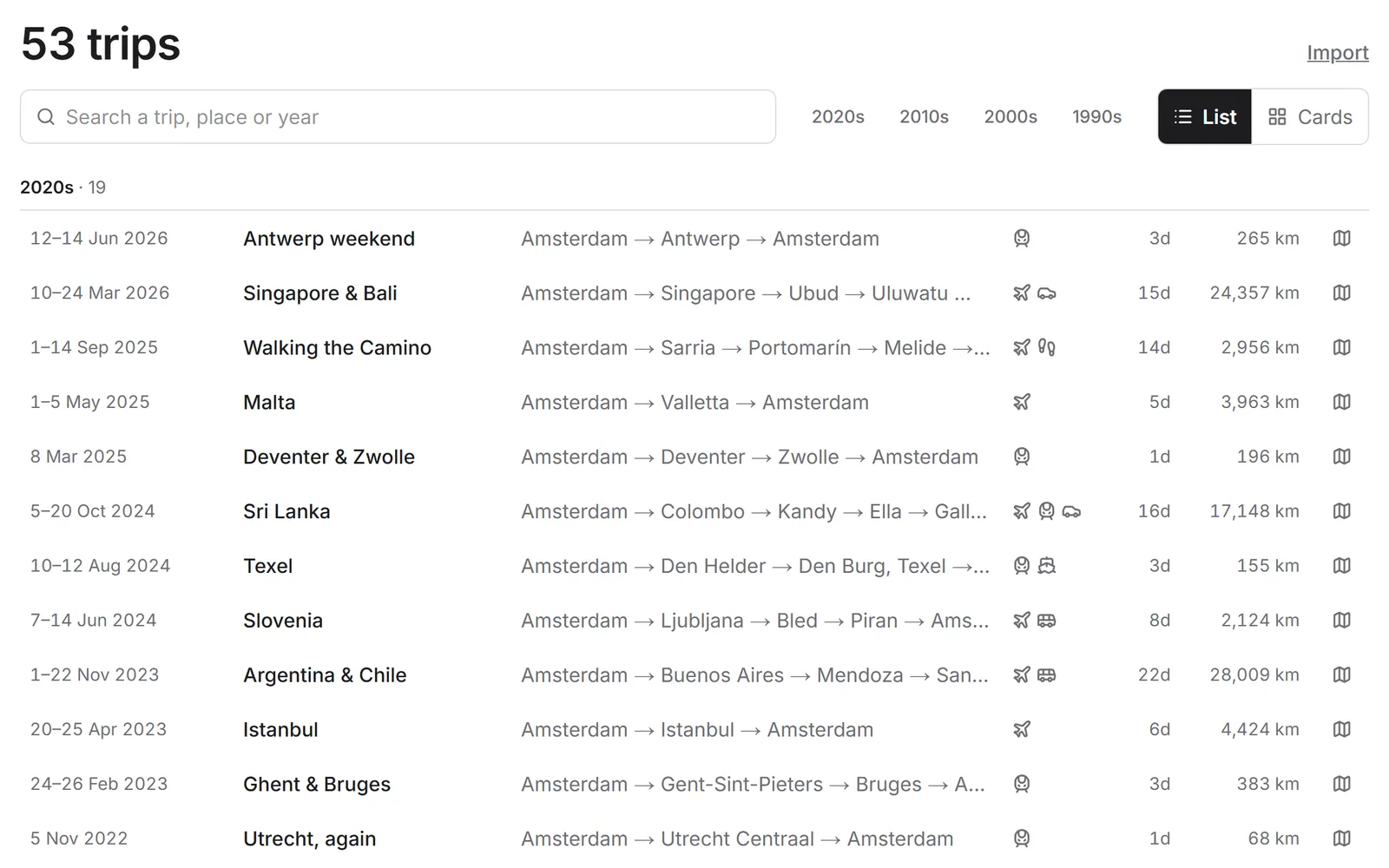
That’s what the import is for. Give Trafays the files those apps already hand you, and years of trips land in one atlas without typing in a single date.
What Trafays can read
Under Trips → Import you pick a file, and Trafays works out the trips in it:
- Polarsteps. The ZIP they email you when you ask for a copy of your data. No need to unzip it, however big. Each step becomes a stop in the city it’s in, and a few steps in one city are one stop.
- Google Maps Timeline. Exported from the Maps app on your phone. A trip runs from your first night away from home to your last, and every place you slept is a stop.
- Flights. The CSV from Flighty, myFlightradar24 or OpenFlights. Each flight lands in the town its airport serves.
- Trains. A CSV from Träwelling. Each station counts as the city it’s in.
- A spreadsheet. One row per place, for everything else. There’s a template with an example trip to write over.
Before anything is saved, you see what was found, trip by trip. A trip that starts within a day of one already in your atlas, in the same country, starts unticked, so a holiday both Polarsteps and your flight app know about doesn’t land twice. From Google Timeline, a single night or a day out in your own country starts unticked too: more often a visit to your parents than a trip. Tick what you want, and save.
What we keep, and what we don’t
The file is read on your device. We keep only what the atlas needs: cities, dates and nights. Never GPS tracks, never photos, never journal text. Your Polarsteps journal stays in Polarsteps, which is a good home for it.
The trips no app recorded
What’s left after an import is the part nobody logged. The school trip. The summer of 2001. The drive to a wedding three countries away. A phone didn’t know about them, or there wasn’t a phone yet.
For those, add a trip from memory. A month or just a year is a perfectly good date: our demo account’s oldest trip is a week of camping in the Ardennes in 1996, dated only by its year, with one line to remember it by: “It rained for six days and I didn’t care once.”
Start with the files, then fill in from memory. Open the import and see how much of your atlas is already written down somewhere.